Your screen.
Your call.
Turn your phone. A button appears. Tap it to rotate—or let it disappear and keep doing your thing.
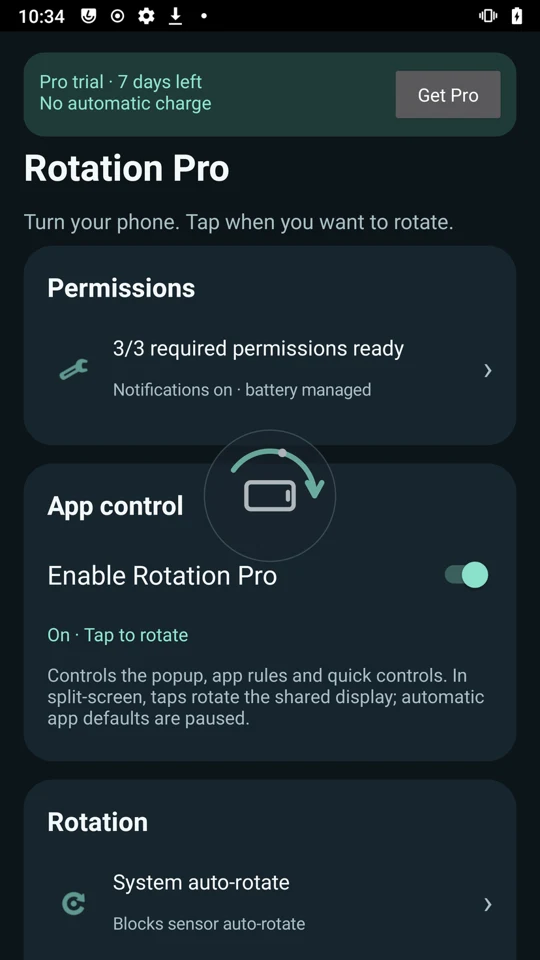
Actual app capture · Android 11
A small button.
A useful bit of control.
Move the phone.
Change how you hold it. Rotation Pro offers a direction-aware button when it detects a new orientation.
Choose the moment.
Tap to request the turn. Leave it alone and the popup times out. It appears immediately, then fades after its timeout.
Keep the view you want.
Optionally hold your choice between apps. Turn the phone’s auto-rotate on whenever you want normal rotation back.
Turning is a suggestion.
This illustration separates moving the phone from accepting a screen rotation.
The screen stays put until you tap.
Quick to appear.
Easy to make yours.
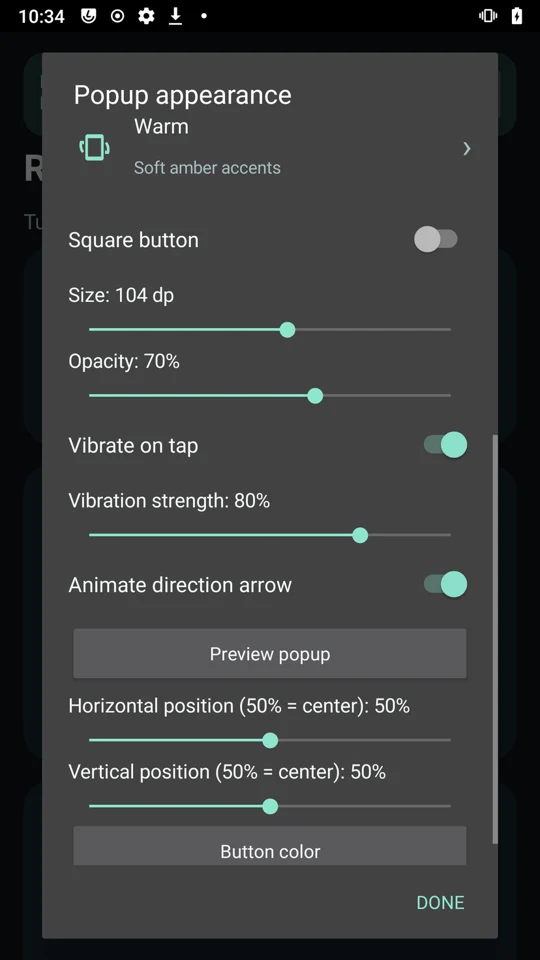
Set the size, colour, transparency, position and tap vibration. Adjust detection speed and sensitivity, and choose a timeout from 1 to 30 seconds.
Some apps need
their own rules.
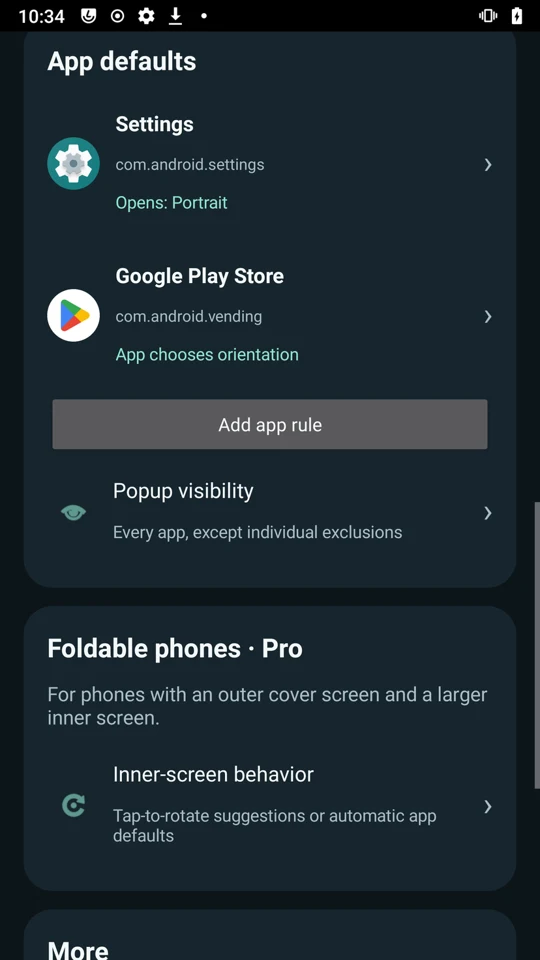
Choose opening orientations and see your customised apps in one place. Hide the popup in selected apps, or allow it only where you need it.
Let an app choose its own orientation, or keep your selected orientation across apps using optional force. If an ordinary rotation fails, try force just this time.
Open up.
Keep watching.
On book-style foldables, the inner screen is the larger display revealed when you open the phone. Pro can suggest landscape there—or apply an inner-screen default for an app you choose.
Seven-day trial starts on first opening. No automatic charge. Local pricing comes from Google Play. Core manual rotation stays free.
- Landscape suggestion on inner-screen opening
- Per-app landscape or upside-down landscape defaults
- Optional portrait after unlock
- Appearance presets
- Settings and app-rule backup
Foldable options are for supported book-style foldables, not ordinary phones. Orientation support varies by app and device.
A few useful details.
Why does it need Usage Access?
To recognise the open app and apply its rotation rule. Rotation Pro reads package/activity lifecycle metadata locally while enabled. It does not read screen text or images or upload your app-usage metadata.
Can I still use normal auto-rotate?
Yes. Phone auto-rotate takes priority over the cross-app hold. Turn it on to pause the hold; turn it off to resume your saved preference. You can also turn all assistance off.
What about split-screen or apps that refuse rotation?
Manual controls request rotation of the shared display. Automatic app defaults and the cross-app hold pause when multiple apps are detected. Force rotation is optional and Android or individual apps may ignore it.
Do I have to pay after the trial?
No. The trial does not charge you. Paid features become unavailable when it ends, and core manual rotation remains free. Pro is a separate, optional one-time purchase through Google Play.
Is the beta already on Google Play?
The listing and beta release are being prepared. Contact ChrisProTech for availability and access. There is no public install link yet.